

Bitget TradFi 101: Why Margin Ratio Matters More Than Liquidation Price
When many crypto users first step into Bitget TradFi, they stick to the instinctive habit of staring at the liquidation price. Why? This is because we're used to dealing with it as a "line between life and death" in crypto perpetual futures (especially when using a high leverage in BTC or ETH positions):
● Your account can be wiped out instantly when that red line/number is reached.
● The closer the liquidation price is to the current price, the faster your heart races—like flooring the gas while watching the fuel gauge hit empty.
● Many people even keep their phone locked on the positions page just to feel the tension of "how far I'm from liquidation".
That’s basically crypto-native "muscle memory": the liquidation price is our lifeline—the farther away, the safer; the closer it gets, the more urgently you need to get away. But on Bitget TradFi, there's only one thing you should focus on: the margin ratio.
Where to find the margin ratio on Bitget TradFi
On Bitget's futures trading interface (website and app), the margin ratio is displayed very prominently, as almost all experienced traders want to monitor it as the top priority.
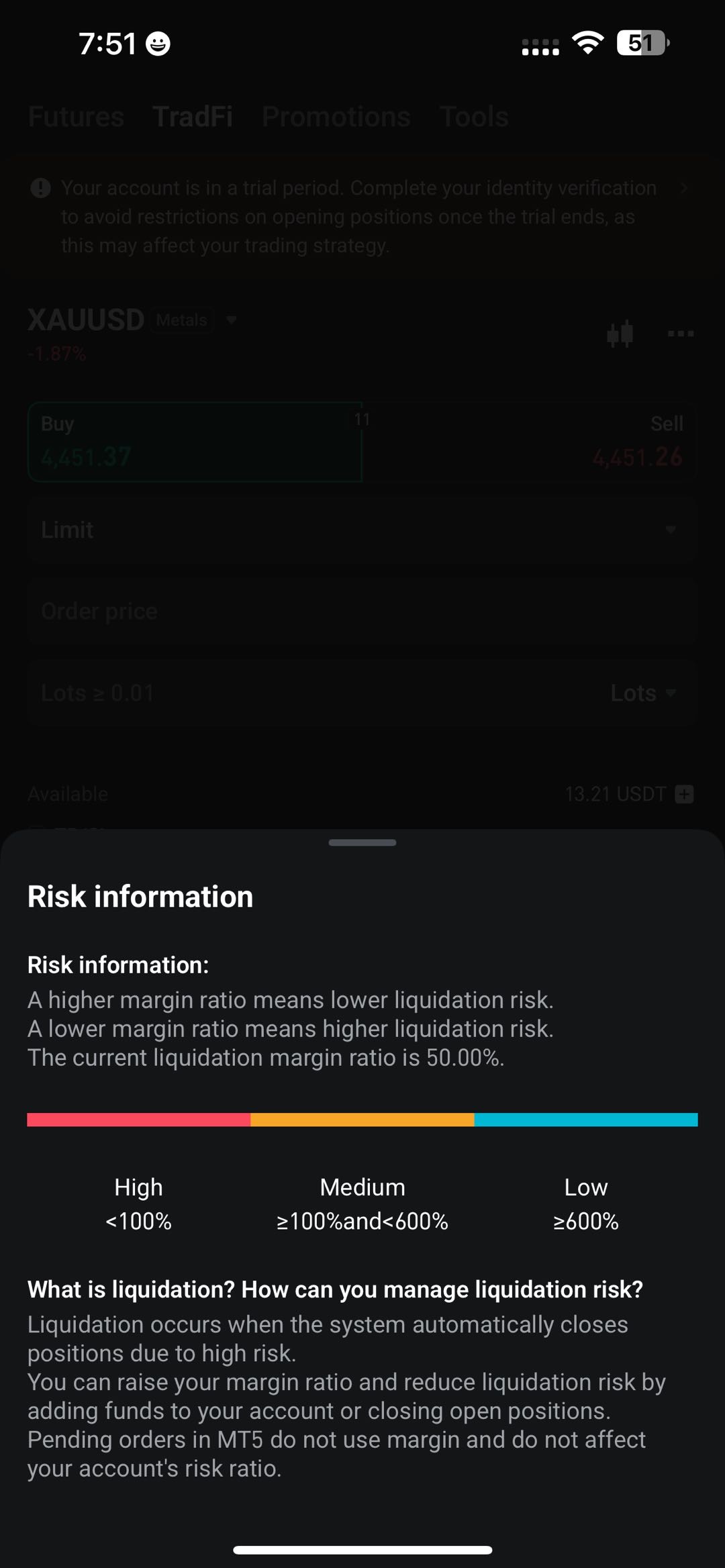
● Primary location: Positions panel. Open the trading page and tap Positions tab below. The margin ratio is usually shown in the upper-right area of the position list and updates in real time. Green indicates safety, yellow means caution, and red signals danger.
|
|
|
|
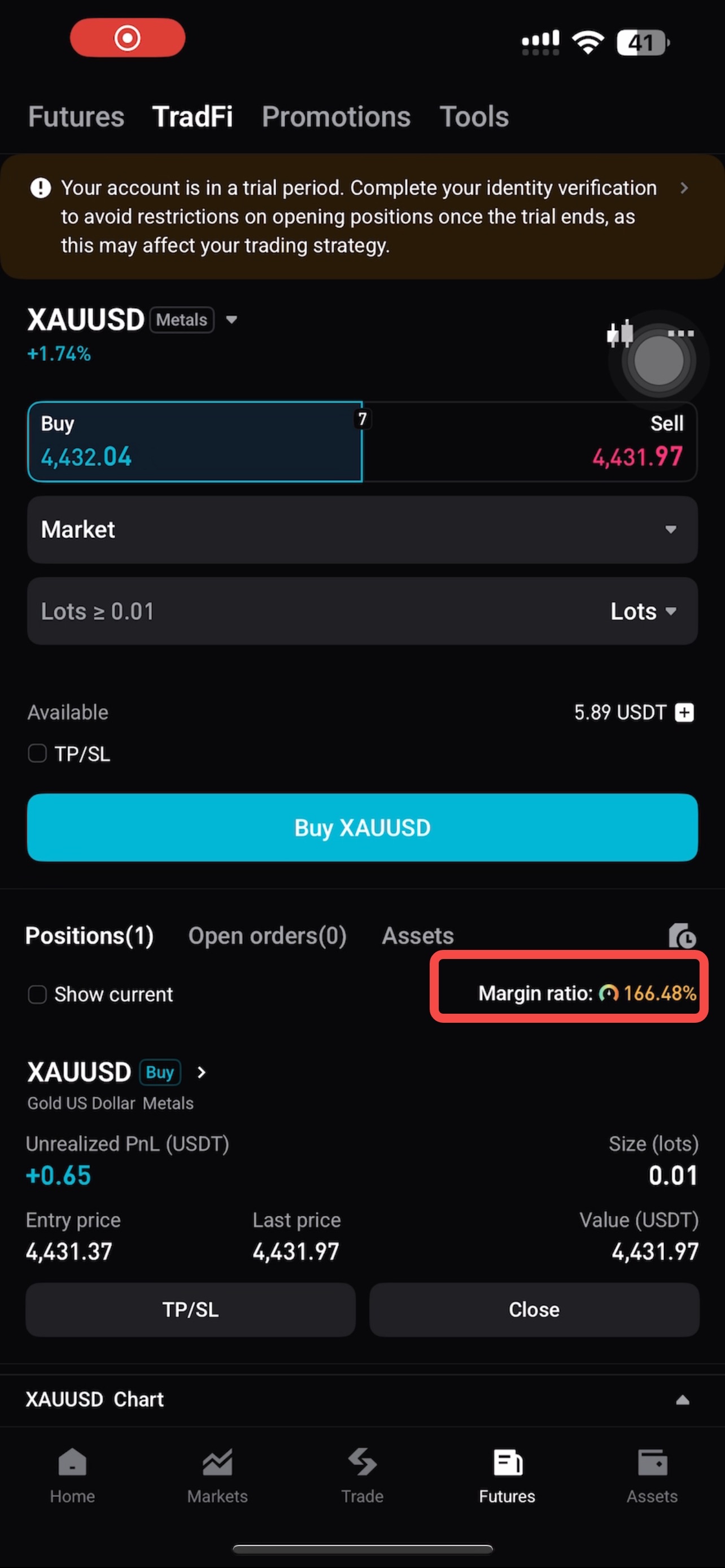
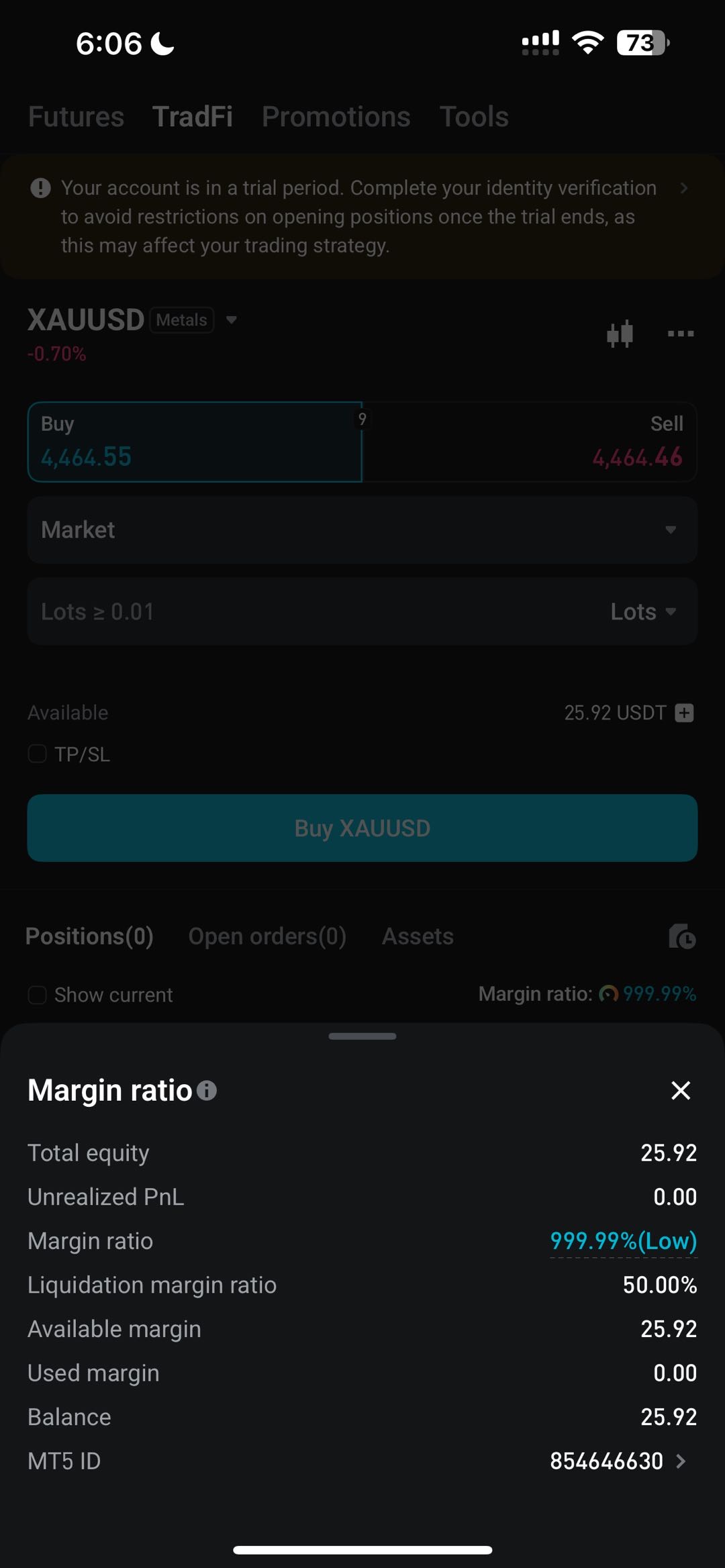
● Account overview (especially in cross margin or multi-asset mode): Account equity, available margin, and margin ratio usually appear together at the bottom-right of the trading interface or the top asset overview section.
● Individual position details: The estimated liquidation price and a reference for the maintenance margin ratio are shown in each position's details page. Note that professional traders typically use this information to assess the overall margin ratio level.
Why is the margin ratio so important on Bitget TradFi?
The margin ratio serves as a real-time health indicator, showing you the risk level of your positions in a straightforward way. Formula: Margin ratio = (account equity + unrealized P&L) ÷ (position value × leverage coefficient).
A high margin ratio (e.g., >200% or even higher) indicates a very safe buffer—you can withstand a large swing against you. IF the margin ratio falls toward the platform's maintenance margin ratio (often around 100%–130%, depending on your position tier), it signals danger and you should start adding margin or reducing positions. Dropping below the maintenance margin ratio means liquidation will be triggered.
Conclusion
To view the exact margin ratio and liquidation price for a specific position, you can open the Bitget app or website and go to your Positions page. The information is shown both the top section and in position details and updated in real time.

 Bitget TradFi 101: What is an Index?2026-01-13 | 5m
 Bitget TradFi 101: Key Factors Influencing Gold Trading2026-01-06 | 5m